Stop chasing clients. Try OnboardMap free.

Stop chasing clients for device lists and admin credentials.

Send one link. Clients submit device inventories, share credentials, complete security questionnaires, and sign compliance docs — all tracked in one portal.

One link for device inventories, credentials, and security forms. No more chasing clients before deployment.

  • Collect device inventories and network details before day one
  • Request admin credentials and security questionnaires upfront
  • Automatic reminders so deployments aren't delayed
  • Collect device inventories and network info
  • Request credentials and security forms
  • Automatic reminders — no deployment delays
Create an MSP onboarding in 10 minutes.
No login required Works from email Secure uploads
Free forever. No credit card required.
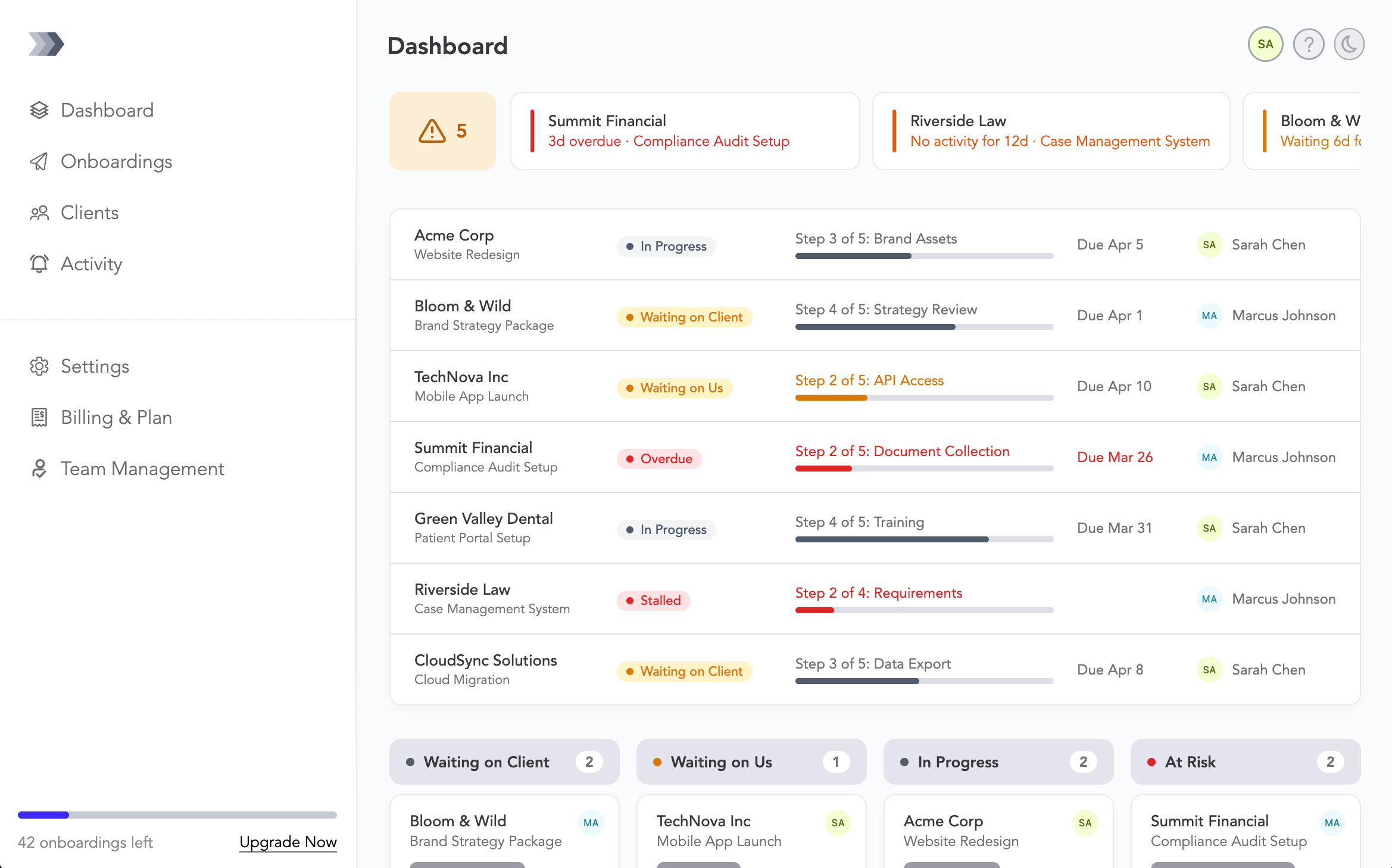
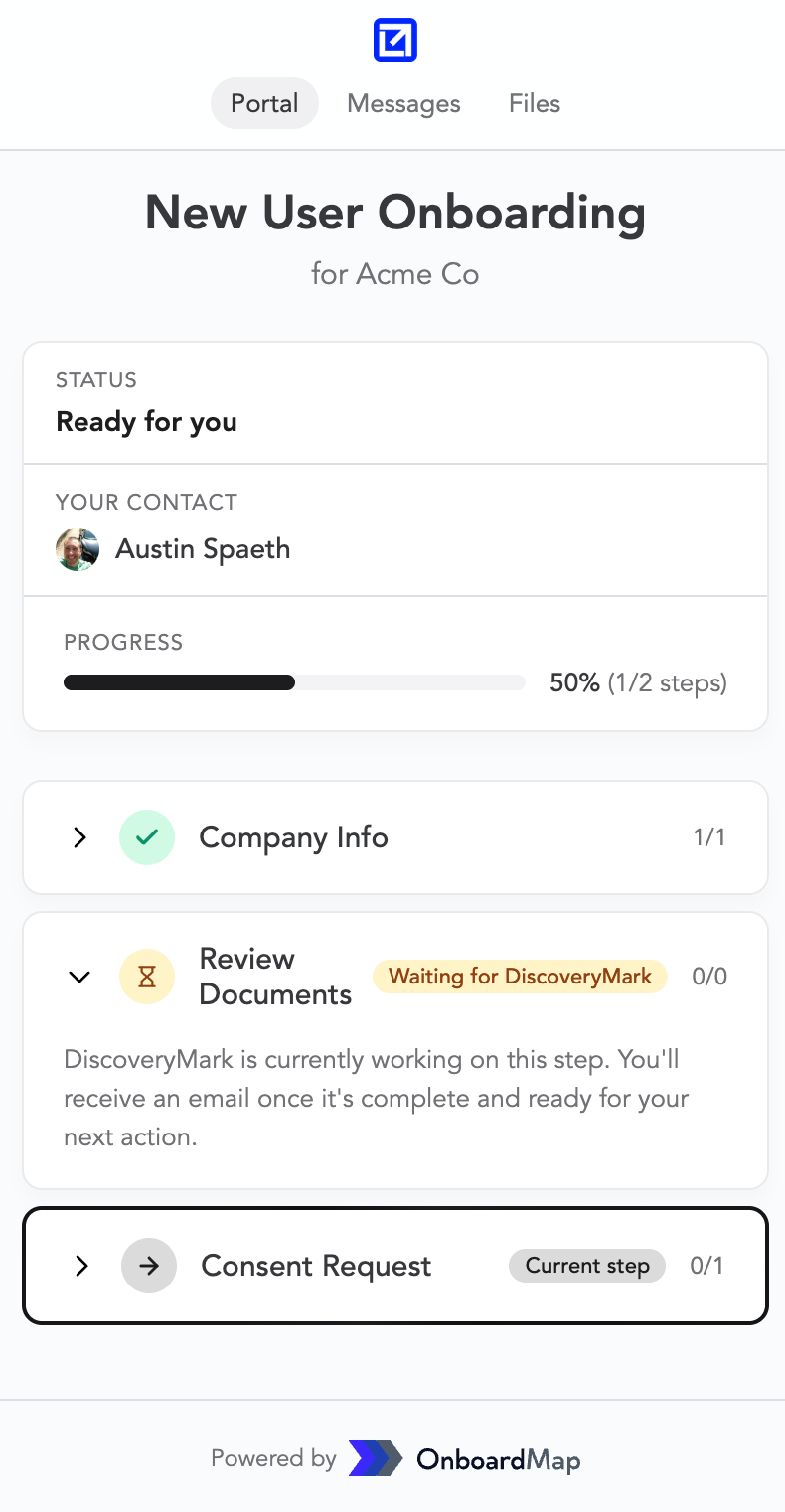
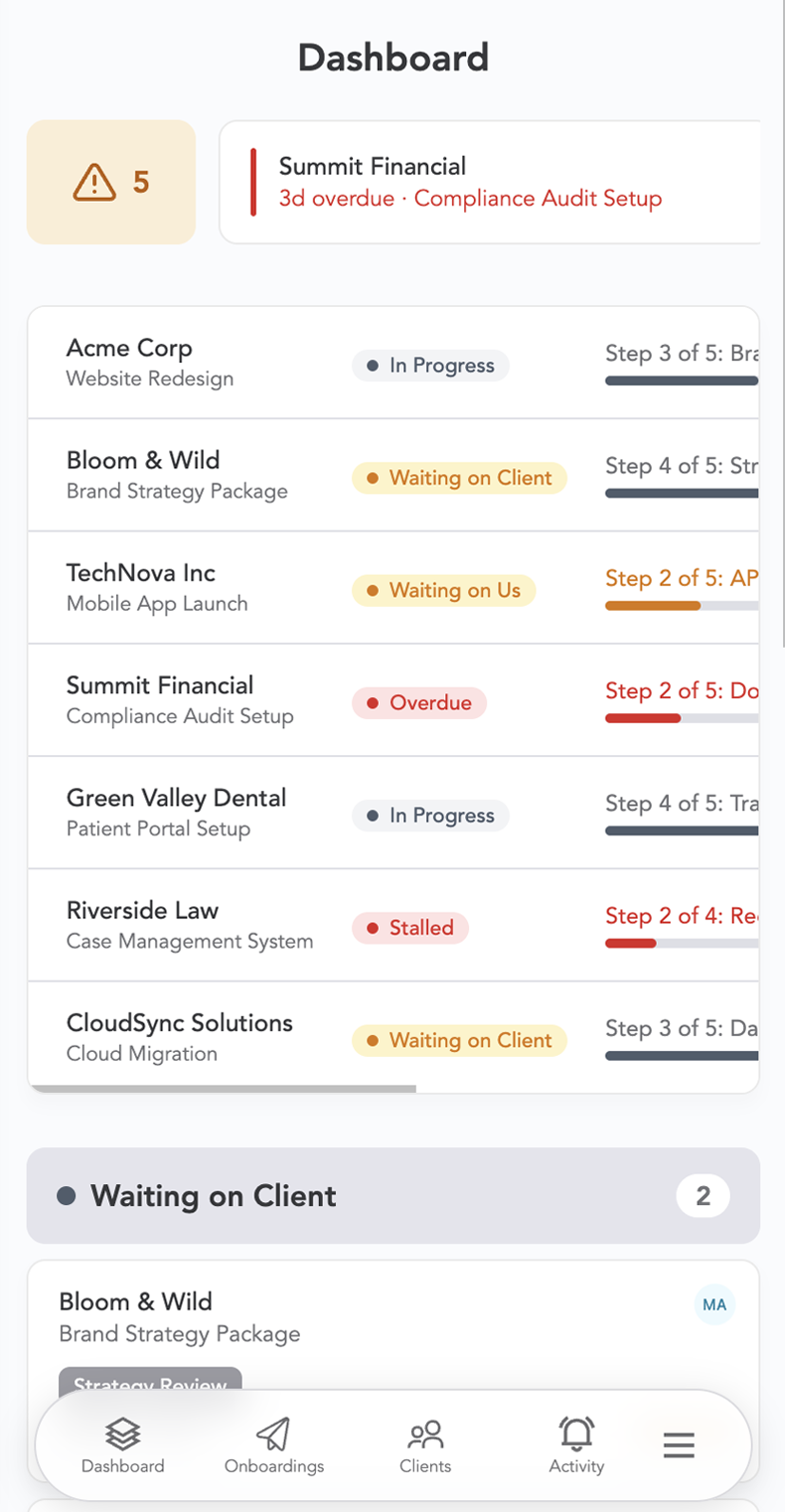
OnboardMap desktop dashboard OnboardMap mobile portal OnboardMap mobile dashboard
See how it works
Magic link · expires in 14 days
Send client a link
Kickoff questionnaire
Upload W-9
Upload bank statements
QuickBooks Access Waiting on provider
Client provides data
1 of 4 complete
Waiting on provider: 1 Overdue: 1
Sarah finished kickoff questionnaire · 2m ago
Upload W-9 Sarah Due Fri
Bank statements Sarah Due Mon
QB Access Provider Overdue
You get live results
Sound familiar?

New Client Deployments Stall on Missing Info

You sign a new managed services client and need device inventories, admin credentials, security questionnaires, and compliance docs. Requests bounce between email, tickets, and phone calls. Deployment slips by weeks.

New clients signed, but deployments stall chasing device lists, admin credentials, and security docs across email and tickets.

Sound familiar?
Inbox
47 unread
The fix

One Portal. Deployment-Ready From Day One.

OnboardMap gives each MSP client a single portal with their onboarding checklist: device inventories, credential requests, security forms, and compliance documents. They see exactly what's needed. You see exactly what's done.

One portal for device inventories, credentials, security forms, and compliance docs. Clients see what's needed. You see what's done.

SC
Sarah Chen
Onboarding in progress
3 of 4 complete
Documents
PDF
W-9_TaxID.pdf
Uploaded 2 days ago
PDF
Bank_Statements_Q4.pdf
Uploaded yesterday
DOC
Signed_Contract.docx
Uploaded today
PDF
QuickBooks_Access.pdf
Waiting on client

1. Create a map

Start from a template, then add tasks, forms, uploads, due dates, and owners.

2. Send one link

Clients open from email and complete every step in one portal.

🚀 No login required

3. Track progress

See what’s done, what’s blocked, and who’s holding things up—automatic reminders included.

MSP Client Onboarding, Before vs. After

Before
  • Emails and tickets chasing device inventories
  • Admin credentials shared insecurely over email
  • No idea which clients completed security questionnaires
  • Compliance docs unsigned weeks into the engagement
  • Deployments delayed waiting on missing information
  • You look unprepared on the first site visit
  • Chasing device inventories across email
  • Credentials shared insecurely
  • No idea who completed security forms
  • Deployments delayed by missing info
  • Compliance docs unsigned
  • You look unprepared on site
After
  • One link with every inventory and credential request
  • Device lists and network maps uploaded to one portal
  • Real-time status: submitted / waiting / missing
  • Security questionnaires completed before deployment
  • Automatic reminders before go-live dates
  • Deployments start on schedule. Every time.
  • One link with every inventory request
  • All docs uploaded to one portal
  • Automatic reminders before go-live

Everything You Need to Onboard Clients Fast

Secure uploads

Request files by name. Uploads go straight to the portal.

No login required

Clients open from email. No password, no account.

Automated follow-ups

Nudges go out automatically. Links expire for security.

Real-time status

Done / waiting / blocked, with clear owners.

Owners + due dates

Assign onboardings to your staff. Set due dates. Track status.

Branded client portal

Your logo and colors. A polished client experience.

Free Download

Free Onboarding Checklist for MSPs

The 10 items every MSP needs from new clients — device inventories, admin credentials, security forms, and more.

  • Device inventory and network diagrams
  • Admin credentials and access
  • Security questionnaires
  • Compliance and backup documentation
Get the Free Checklist
MSP Onboarding Checklist
Task Owner Status
Device inventory Client Waiting
Network diagram Client Waiting
Admin credentials Client Done
Security questionnaire Client Uploaded
Current vendor list Client Waiting

Start Onboarding Clients Today

Stop chasing clients for documents and answers. Send one link, track everything, and get paid faster.
Free forever. No credit card required.

Simple Pricing. No Surprises.

Start free with 3 onboardings/mo. Upgrade when you need more.

Every plan includes: Magic link access · Secure uploads · Automated reminders · Unlimited seats
Start free with 3 onboardings/mo and 1 GB storage. No credit card required. No time limit.
Get Started Free

Starter

For solo operators

$29
/month

Includes

  • 15 onboardings per month
  • 10 GB file storage
  • Industry templates
  • Request files + secure uploads
  • Intake forms + questionnaires

Pro

BEST VALUE

For growing teams

$79
/month

Includes

  • 50 onboardings per month
  • 100 GB file storage
  • Tasks with owners + due dates
  • Custom branding
  • Notifications + nudges

Max

For established firms

$179
/month

Includes

  • 200 onboardings per month
  • 500 GB file storage
  • Roles + permissions
  • Webhook support
  • Priority support
Don't want to build it yourself?

White-Glove Setup

Delivered in 3 business days. Includes 1 revision.

  • Custom map for your exact process
  • Branded portal (logo + colors + domain)
  • Up to 3 intake forms from your docs
  • Kickoff call + walkthrough
Send us your current checklist and branding. We handle the rest.

Free plan includes 3 onboardings per month. Paid plans offer higher limits. No credit card required to start.

Can I collect device inventories through OnboardMap?

Yes. You can request spreadsheets, CSV exports, or any file format for device inventories. Clients upload directly to their portal. You can also use intake forms to collect structured device data.

Do my MSP clients need to create an account?

No. Clients access their portal via a magic link sent by email. No signup, no password, no app to install. They click the link, see their checklist, and start completing steps immediately.

Can I collect admin credentials securely?

OnboardMap doesn't store passwords directly, but you can add tasks with instructions for credential sharing through your preferred secure method (IT Glue, Passportal, etc.). Track completion status in the portal.

Can clients complete security questionnaires in the portal?

Yes. Use built-in intake forms to create security questionnaires, compliance checklists, and risk assessment forms. Clients fill them out directly in their portal.

What counts toward my onboarding limit?

Every onboarding you create counts toward your monthly limit. On the free plan, you get 3 per month. On paid plans, you get higher limits. All limits reset each billing period. There’s no cap on total clients — only onboardings created.

Can I brand the portal with my MSP's logo?

Yes. Every plan includes a branded portal link. On Pro and Max plans, you can customize your logo, brand colors, for a fully white-labeled client experience.

Does this replace our PSA or documentation tool?

No. OnboardMap is the client-facing portal you send before managed services begin. It complements ConnectWise, Autotask, IT Glue, or whatever your team uses internally.

Can I control who sees what on my team?

Yes. Internal notes and activity logs are visible only to your team. On Max plans, roles and permissions let you control which team members can edit, approve, or view specific onboardings.

Ready to onboard your next client?

Create your free account and send your first onboarding link in minutes.

3 free onboardings every month. No credit card required.
×

Before you go...

Create your first onboarding in under 10 minutes. No credit card required.

Free plan includes 3 onboardings/mo.